Everything in Moroos, step by step.
Funding your wallet, buying, selling and requesting a bar — each in a few simple steps, shown with the same screens you will see in the app.
The screenshots are from the Moroos app, which is in Persian.
Adding funds
To buy gold, first deposit money into your rial wallet.
Open “Wallet” from the bottom bar.
Your rial and gold balances, deposits and withdrawals, and your statements and documents are all on this screen.
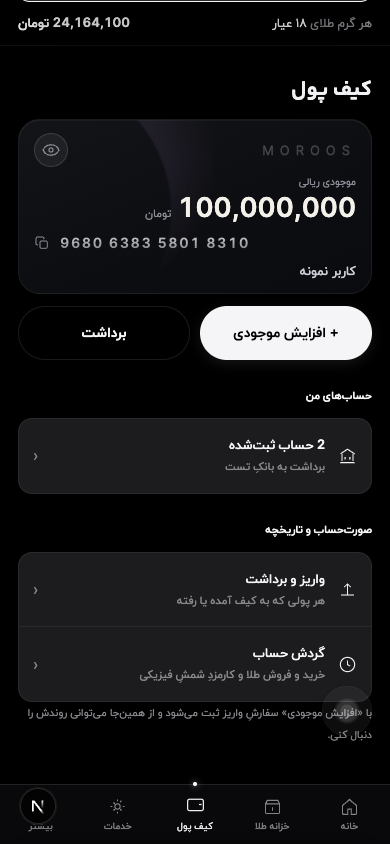
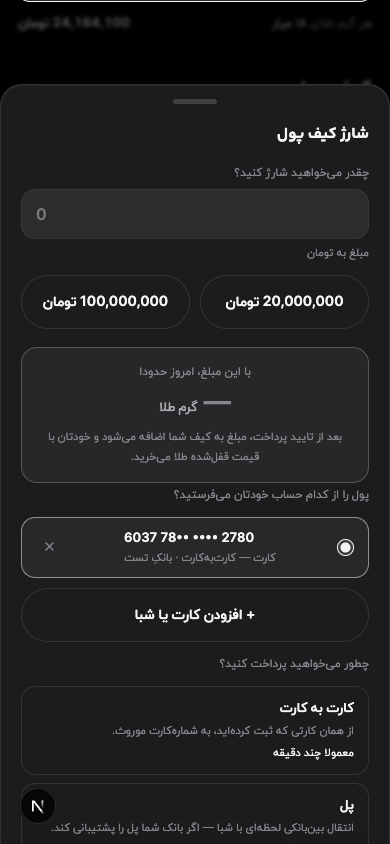
Tap “Deposit” and enter the amount.
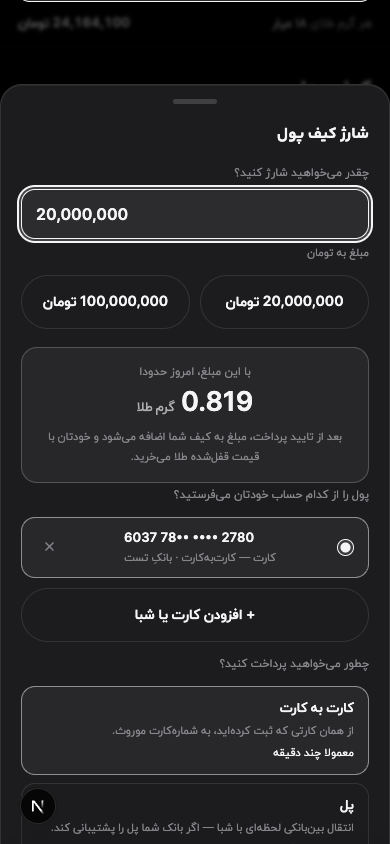
Right under the amount, you see how many grams of gold that money buys today. Deposits and withdrawals both go through accounts in your own name.
Tap “Confirm”; the amount and the destination account appear on one screen.
The card number, account number and IBAN can each be copied with one tap. After you transfer the money, upload a photo of the receipt; once it is approved, the amount is added to your wallet.
Buying gold
From one gram up, at the live price and with no making charge.
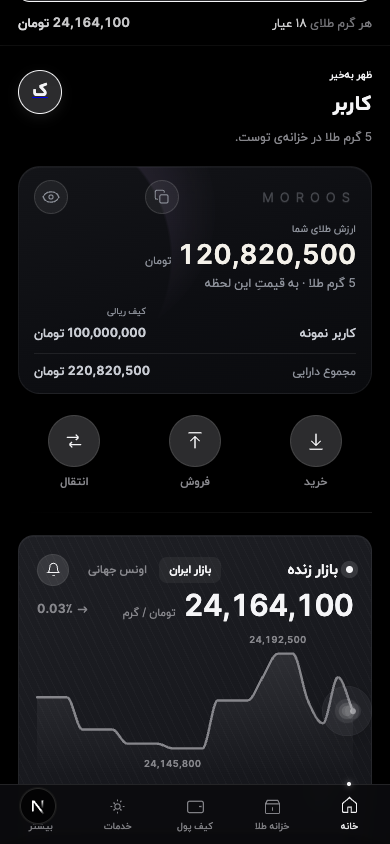
On the home screen, tap “Buy”.
The live price per gram is on this same screen and updates with every move in the market.
Enter a weight, or tap one of the preset amounts.
Purchases start at one gram, in steps of a tenth of a gram. If you would rather think in money, switch to toman and the weight is worked out for you.
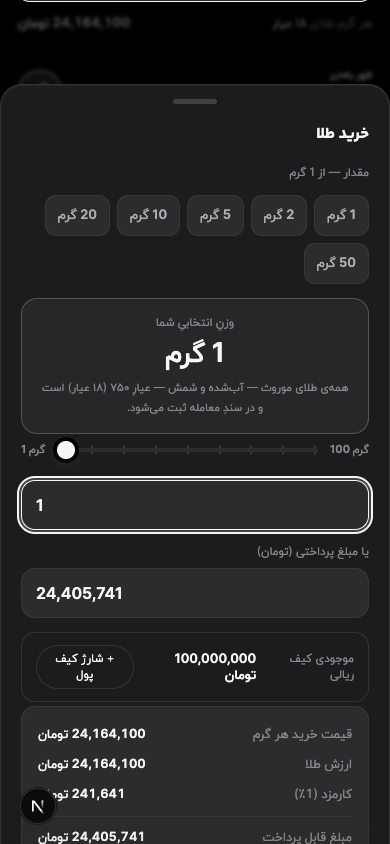
Before you pay, you see everything in one place.
The weight, the price per gram, the one percent fee and the final amount are on one screen. The price holds for a few seconds so you can decide calmly.
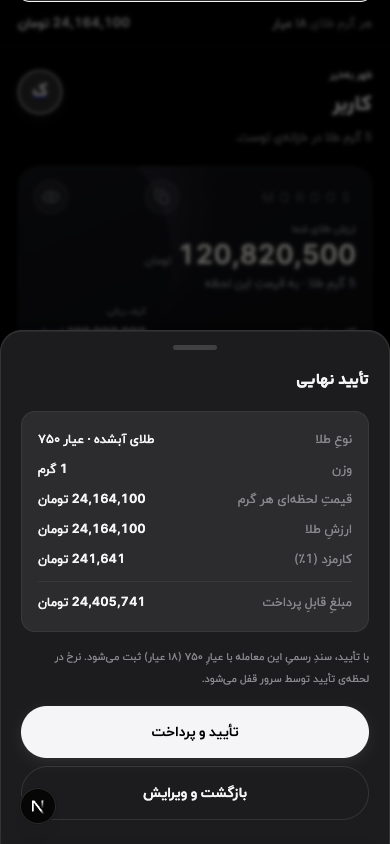
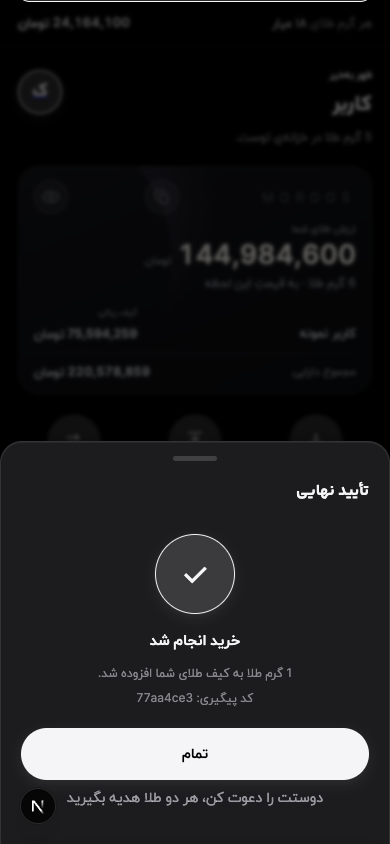
Once you confirm, a receipt with a tracking code is issued.
The gold is added to your vault at that moment, and a certificate of ownership for every purchase stays in your documents.
Selling gold
The same path as buying, at the same live price.
On the home screen, tap “Sell”.
Selling sits next to buying and uses the same live market price.
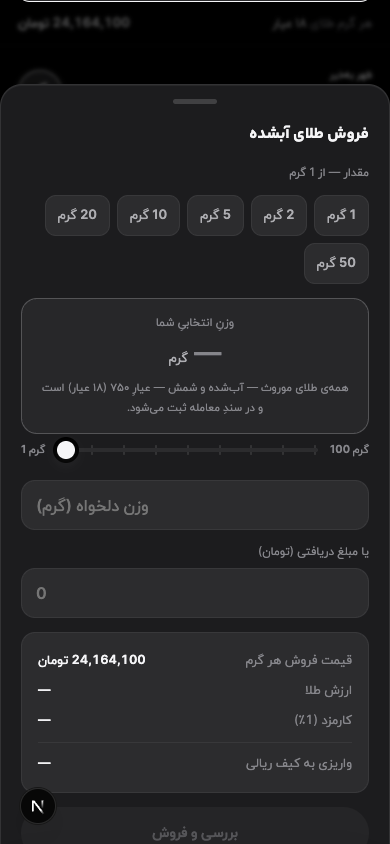
Enter the weight you want to sell.
You can sell up to your molten gold balance. Gold you have turned into bars is counted separately.
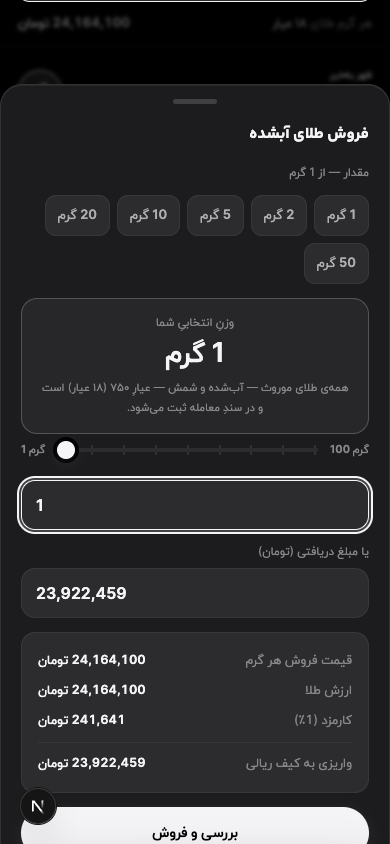
The amount paid into your rial wallet is shown before you confirm.
The fee has already been deducted from this amount; the figure you see is exactly what lands in your wallet.
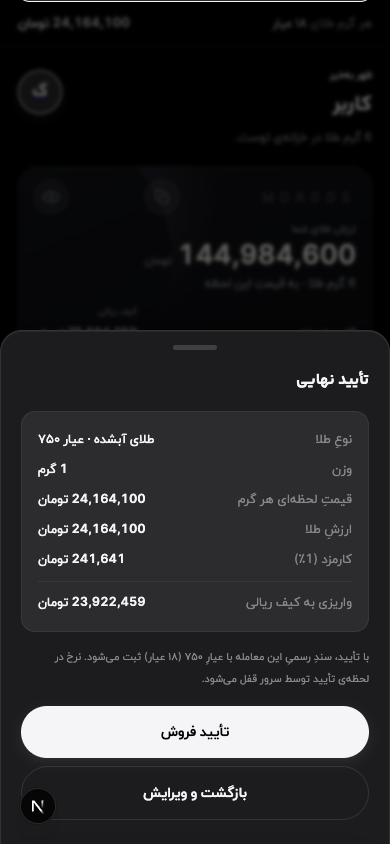
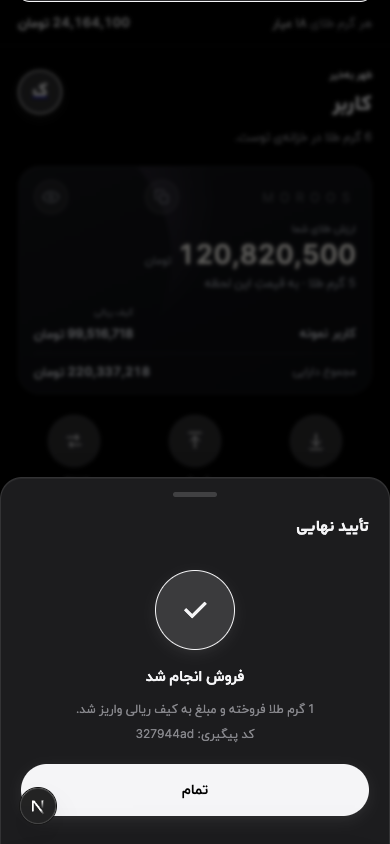
After you confirm, the money reaches your rial wallet at once and a document is issued.
Withdraw from your wallet to your own bank account whenever you like. The sale document also stays in your documents.
Requesting a bar
Turn the gold in your vault into serial-numbered bars and take delivery.
Open “Services” from the bottom bar.
Physical gold delivery is the first card on this screen, and you follow your bars from here too.
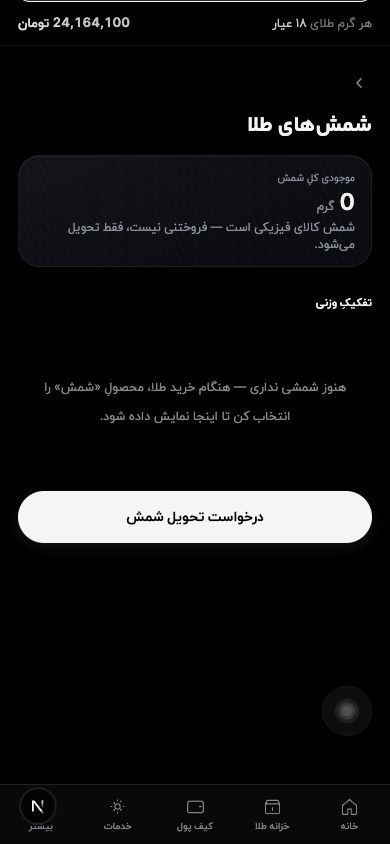
On the “Physical gold delivery” card, tap “Request delivery”.
Physical delivery is available to verified accounts, and the order is shown to you before it is placed.
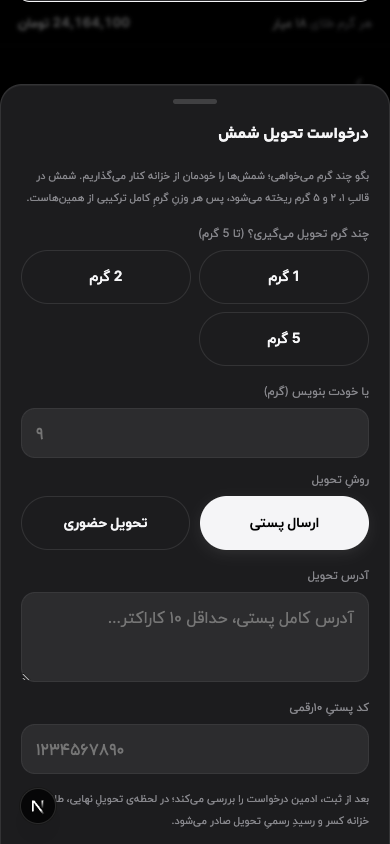
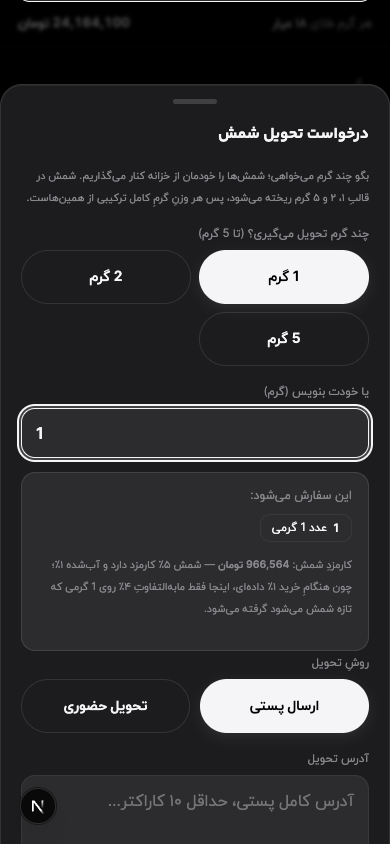
Enter the weight; the order and its fee are shown before you place it.
Bars come in one, two and five grams, and Moroos picks the best combination for your weight. The bar fee is five percent in total. Then choose how to receive it: by post, or in person at the office.
What endures starts today.
An account takes minutes to open, and identity verification is entirely online.